A dashcam without the baggage
Everything you need to remember the road. Nothing you don’t.
MightyDash keeps recording straightforward and your trip data close: flexible capture, clear live status, easy on-device review, and no account or cloud video sync.
Start recording without handing over your life.
MightyDash asks for no account and gives you no cloud to configure. The focused iPhone app keeps the core recording workflow on your device, without ads, analytics, telemetry, or tracking.
See more detail when it matters. Use less when it doesn’t.
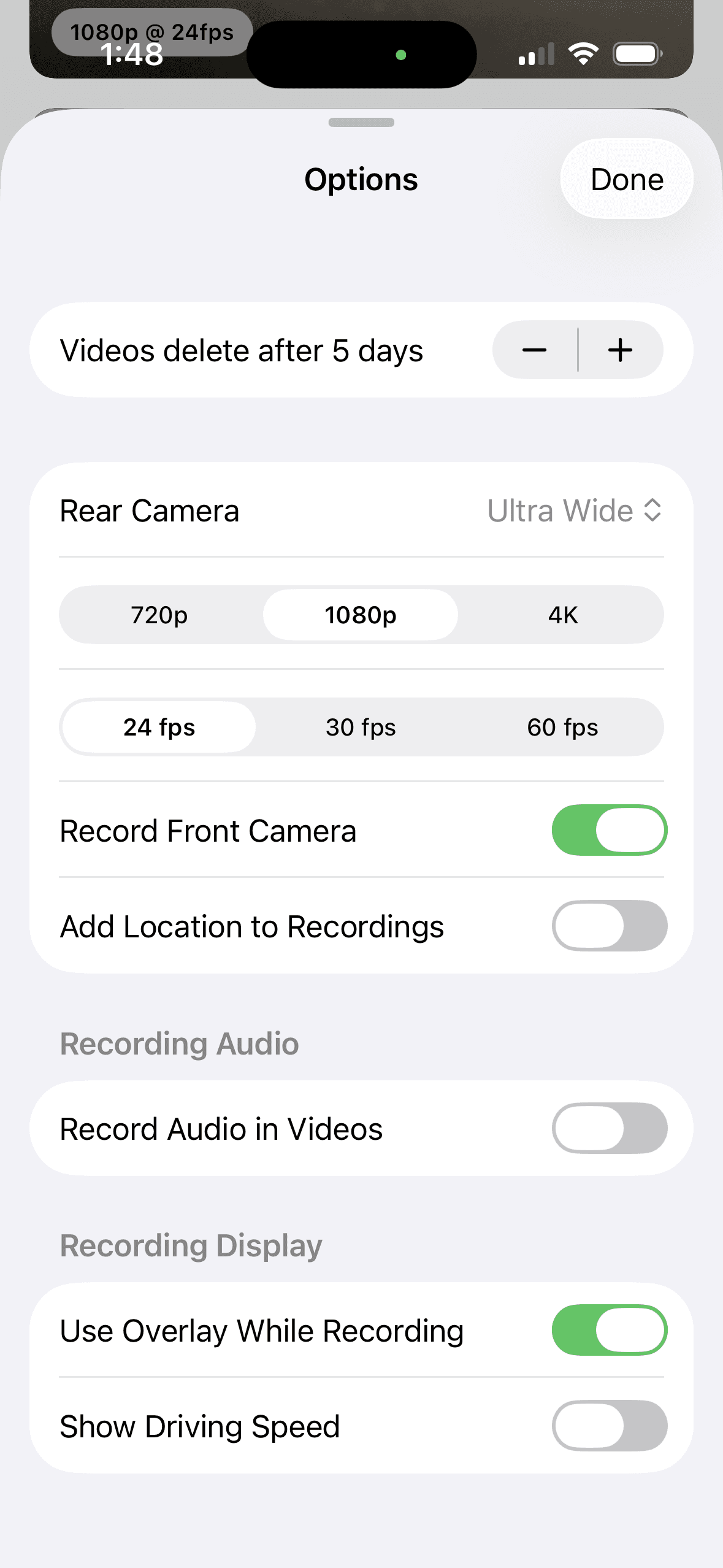
Choose 720p, 1080p, or 4K; 24, 30, or 60 fps; wide or ultra-wide lenses; and optional front-camera coverage. Start light for longer, cooler drives, then add detail when your iPhone has room for it. Audio, location labels, and the driving display remain optional.
One tap, then one clear view of the drive.
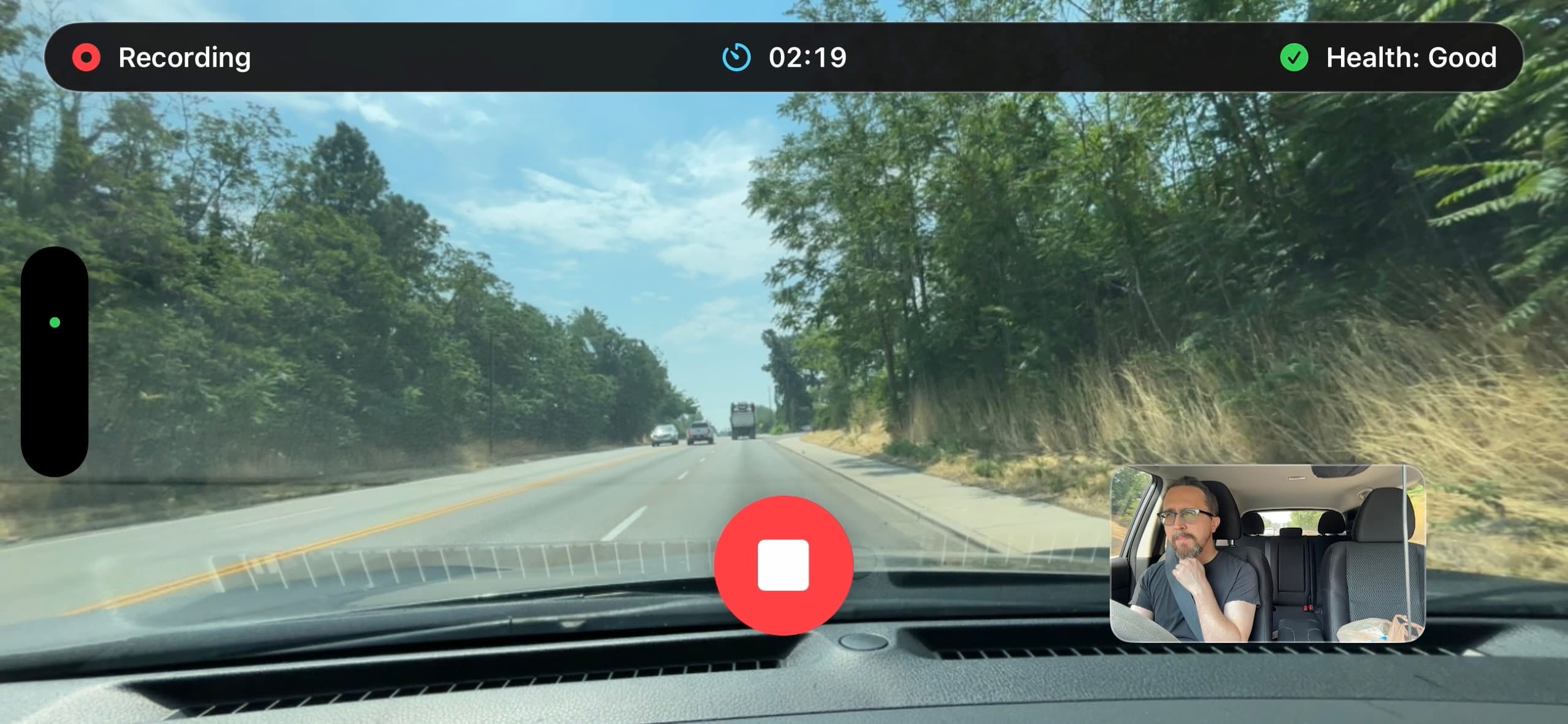
The landscape recording screen keeps the road large and the stop control easy to find. At a glance, see elapsed time, live Recording Health, and—on supported iPhones—a front-camera preview saved as a separate clip.
See what matters without taking your focus off the road.
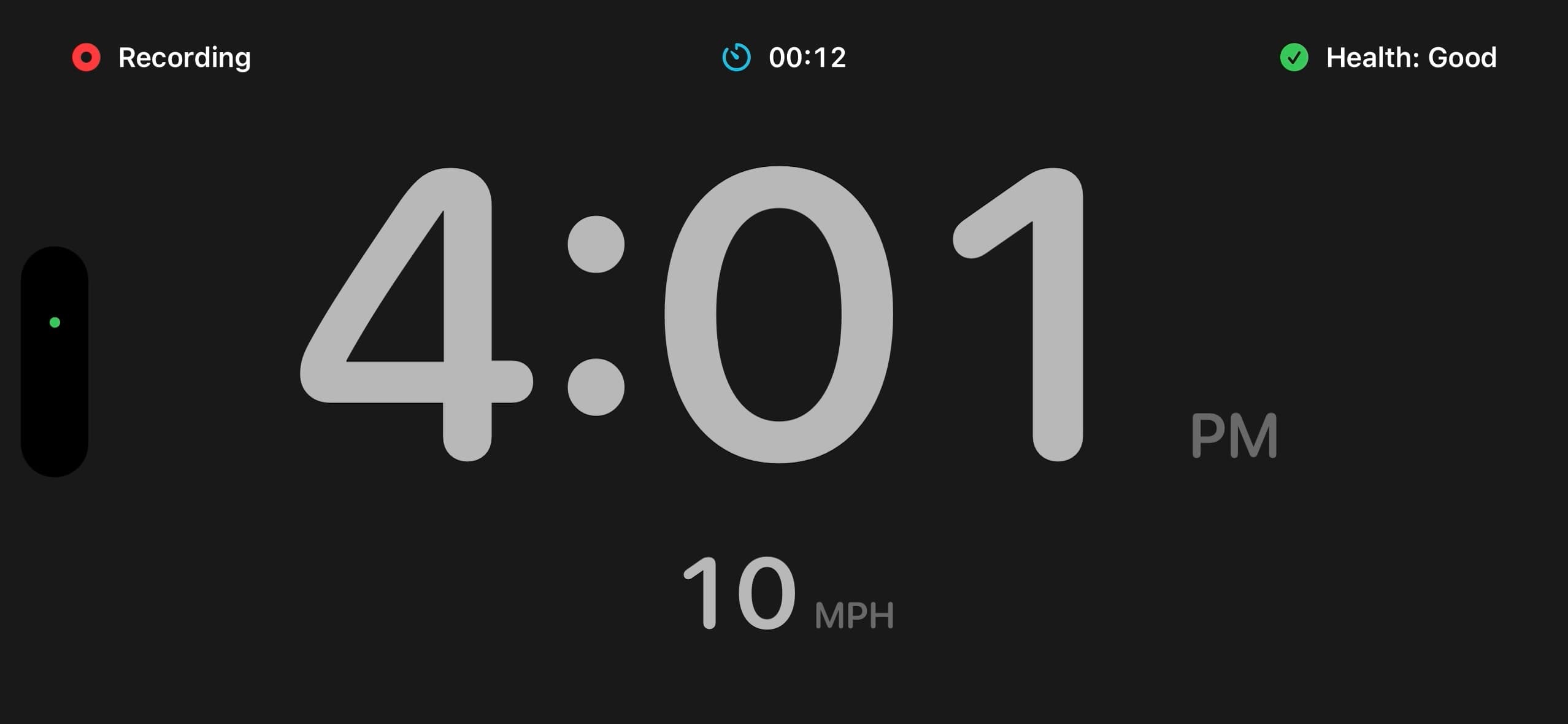
Turn the recording view into a large clock with optional live speed, while recording status and health remain visible. The display stays on screen only, so your saved footage stays clean.
Find the right moment without searching one endless file.
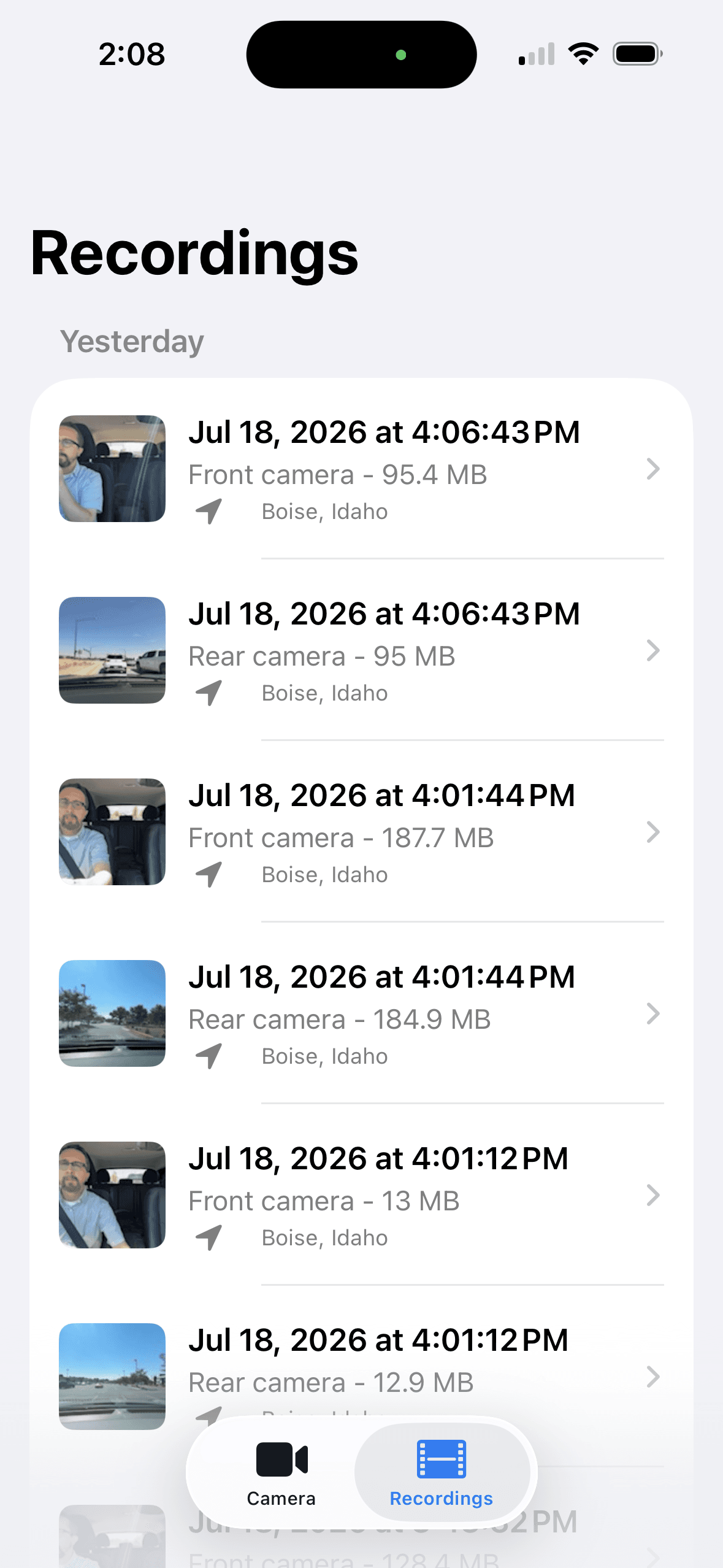
MightyDash organizes roughly five-minute clips by day with thumbnails, timestamps, camera labels, file sizes, and optional city-and-state context. Front and rear recordings stay separate, so the angle you need is easier to spot.
Review privately. Export only what you choose.
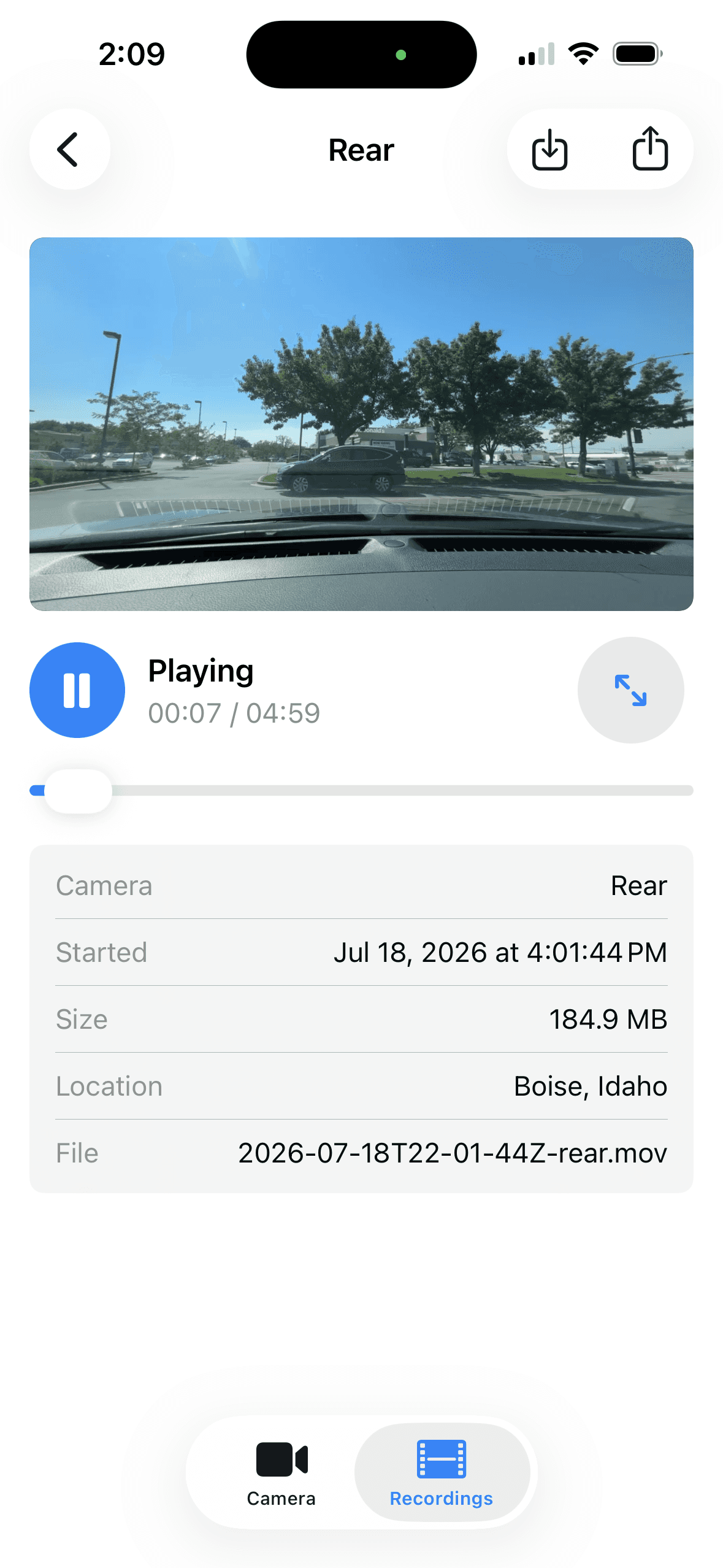
Play clips on your iPhone, jump into full screen, and confirm the time, camera, file size, and optional place label. Save a specific video to Photos or open the iOS share sheet only when you decide.